
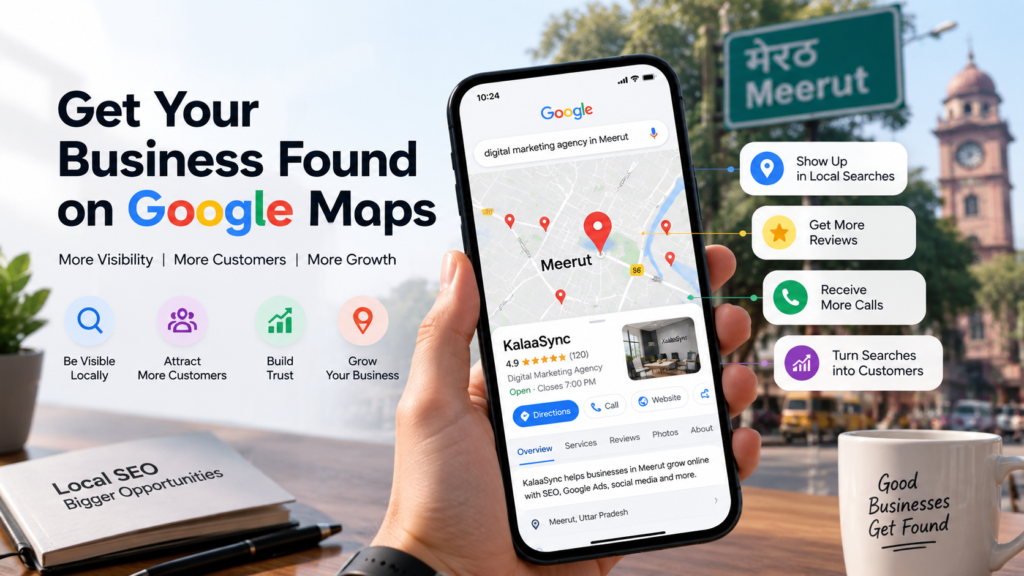
Introduction
When people need a nearby product or service, they often search online before making a decision. They may search for a restaurant, salon, doctor, shop, agency or another local business and then check the businesses that appear on Google Maps.
So, if your business is not easy to find on Google Maps, you could be missing customers who are already looking for what you offer.
This is where local SEO becomes important.
Local SEO helps your business become more visible when people search for products or services in a particular area. For a local business, this can be especially useful because the person searching may already be ready to call, visit, book or make a purchase.
The good news is that getting your business found on Google Maps does not have to be complicated. A complete Google Business Profile, accurate business information, genuine reviews, useful local content and a consistent online presence can all support your local visibility.
What Is Local SEO?
Local SEO means improving your online presence so that people in your area can find your business when they search online.
For example, someone in Meerut might search:
- “digital marketing agency in Meerut”
- “best salon near me”
- “dentist in Meerut”
- “restaurants near me”
- “web design company in Meerut”
Google uses different information to decide which local businesses are relevant to a search. Google says local results are mainly influenced by relevance, distance and prominence.
Relevance
Relevance means how closely your business matches what the customer is searching for. Complete and detailed information can help Google understand what your business does.
Distance
Distance refers to how far your business is from the person searching. This is especially important for local businesses.
Prominence
Prominence is about how well-known a business is. Google considers information from different sources, including websites, links and reviews.
Set Up Your Google Business Profile Properly
One of the first things you should do is create or claim your Google Business Profile. Your Business Profile is what can allow your business information to appear on Google Search and Google Maps.
Add or Claim Your Business
First, search for your business name on Google and Google Maps. If a profile already exists, check whether you can claim it. If not, create one and complete verification.
Add Complete Business Information
Make sure your profile includes accurate information such as business name, address, phone number, website, category, hours, and photos.
Use Local Keywords the Right Way
A local keyword is simply a search phrase that includes a location or has local intent. For example: “digital marketing agency in Meerut”.
Add local keywords naturally in website headings, service pages, and blog posts. Don’t overuse them; write for people first.
Build Local Citations and Keep NAP Consistent
NAP stands for: Name + Address + Phone Number. Consistency across the internet is vital to avoid confusion for both customers and search engines.
Get Genuine Reviews From Your Customers
Reviews help build trust. Google recommends responding to customer reviews to help your business stand out. Focus on providing a good customer experience to earn honest feedback.
Build Local Backlinks
Backlinks from relevant local websites, industry publications, or business organizations help build your website’s authority and prominence.
Use Local Schema Markup
Schema helps search engines understand information on your website in a structured way, such as your business name, address, and opening hours.
Common Local SEO Mistakes to Avoid
- Incomplete Google Business Profile
- Wrong Business Information
- Keyword Stuffing
- Ignoring Reviews
- Fake Reviews
- Expecting Instant Results
- Ignoring Your Website
How to Get Started With Local SEO
- Claim Your Google Business Profile
- Complete Your Information
- Check Your Website
- Find Relevant Local Keywords
- Build Genuine Reviews
- Check Your Citations
- Create Useful Content
- Track Your Results
How Much Does Local SEO Cost?
The cost can vary based on business size, competition, and specific requirements. It’s important to understand what work is included rather than just choosing the cheapest option.
Conclusion
Focus on building a strong and trustworthy local presence. Start with a complete and verified Google Business Profile and maintain accurate information across the web.
Ready to improve your local visibility? KalaaSync can help you understand where your business currently stands.
Ready to improve your local visibility?
KalaaSync can help you understand where your business currently stands and what you can improve.